Danila Filatov All work

Pharma · B2B

Pharmplace: Eliminating 80% papers from a workflow of a large pharmholding

An internal ERP and a field app that took a pharma holding's medical representatives off paper.

Product DesignUIUXNDA
Role
Product Designer, took over the senior designer's scope
Company
Internal ERP of a pharmaceutical holding
Team
CTO, project manager, 1 back-end, front-end lead and 2 front-end developers, Android developer, 3 product designers
Platform
Web ERP, Android app for medical representatives
Methods & tools
Material Design based UI kit, usability testing, process analysis, prototyping

Outcome

  • Measured−80% paperwork in the medical-rep department
  • Measured×1.5 medical-rep performance
  • Measured90% of internal training moved into the system
Measured measuredQualitative qualitativeUnder NDA under NDA

About Pharmplace

Pharmplace is an internal ERP system of a pharmaceutical holding company that represents the products of the world's largest pharmaceutical manufacturers on the Russian market. It consists of web interfaces for senior executives at different levels, providing electronic document management, a system for training employees, setting goals and tracking KPIs, as well as a mobile application for medical representatives who check the availability and correct display of medicines in pharmacies.

Intro to subject

The pharmaceutical business has its own marketing. In order for doctors to prescribe new medicines, they need to tell them how good they are, give them samples that they will give to patients free of charge, pharmacies should always keep a supply of it, regularly ordering supplies, and on the counter they should be in sight and in a strictly defined and paid pharmaceutical company location. The people who do this are called medical representatives.

Problem

All work is organised on paper documents. Every day, the MR team leader draws up a special file in Word for each subordinate, with information about which places the MR should visit, what tasks should be performed at these places, calculates the approximate time to complete and sets various KPIs. For each action there is its own established type of report, as well as tasks and accompanying files: printouts of presentations of pharmaceuticals for training, tables of drugs that must be presented in a particular pharmacy, indicating their balance and ordered volume, printed layouts of the promoted goods on the counter and more... The results of the work are entered into the forms by medical representatives with a ballpoint pen, and then by other employees they are manually entered into spreadsheets, with data both on a specific visit and with general data on the project. A lot of employees time and paper wasted for a result.

My role

I've joined a product's design team as a middle product designer and had to enhance and upgrade existing features, but since the very early departure of the old senior product designer, I've took his role and done most of the work on project.

I was investigating the problem, conducting research, offering solutions, prioritising features, maintaining UI-kit, design screens, conducting usability testing, supervising.

Team

Backend Developer x1

Frontend Team Lead x1

Frontend Developer x2

Android Developer x1

Project Manager x1

CTO x1

Product Designer x3

Results

  • System implemented in pharmaceutical holding's workflow
  • 90% of pharmaceutical holding's education now is going through this education system
  • Medical representatives department paperwork reduced by 80%
  • Medical representatives team lead paperwork assistants moved to another department
  • Medical representatives performance increased in 1.5 times.

Solution

Design system

To save time, we based our UI kit on Material Design, because:

  • The product was supposed for internal use
  • We need apps for WEB, Android and, possibly, iOS. We don't have time to develop it from scratch
  • There are pre-made components for all the platforms to save time

To make it look better and more branded, I've changed header font from Roboto to Raleway and got rid oh heavy stock Material shadows and colored bars.

This also allowed to make UI look closer to Google Mail or Documents, that are widely used across our target audience.

ERP system

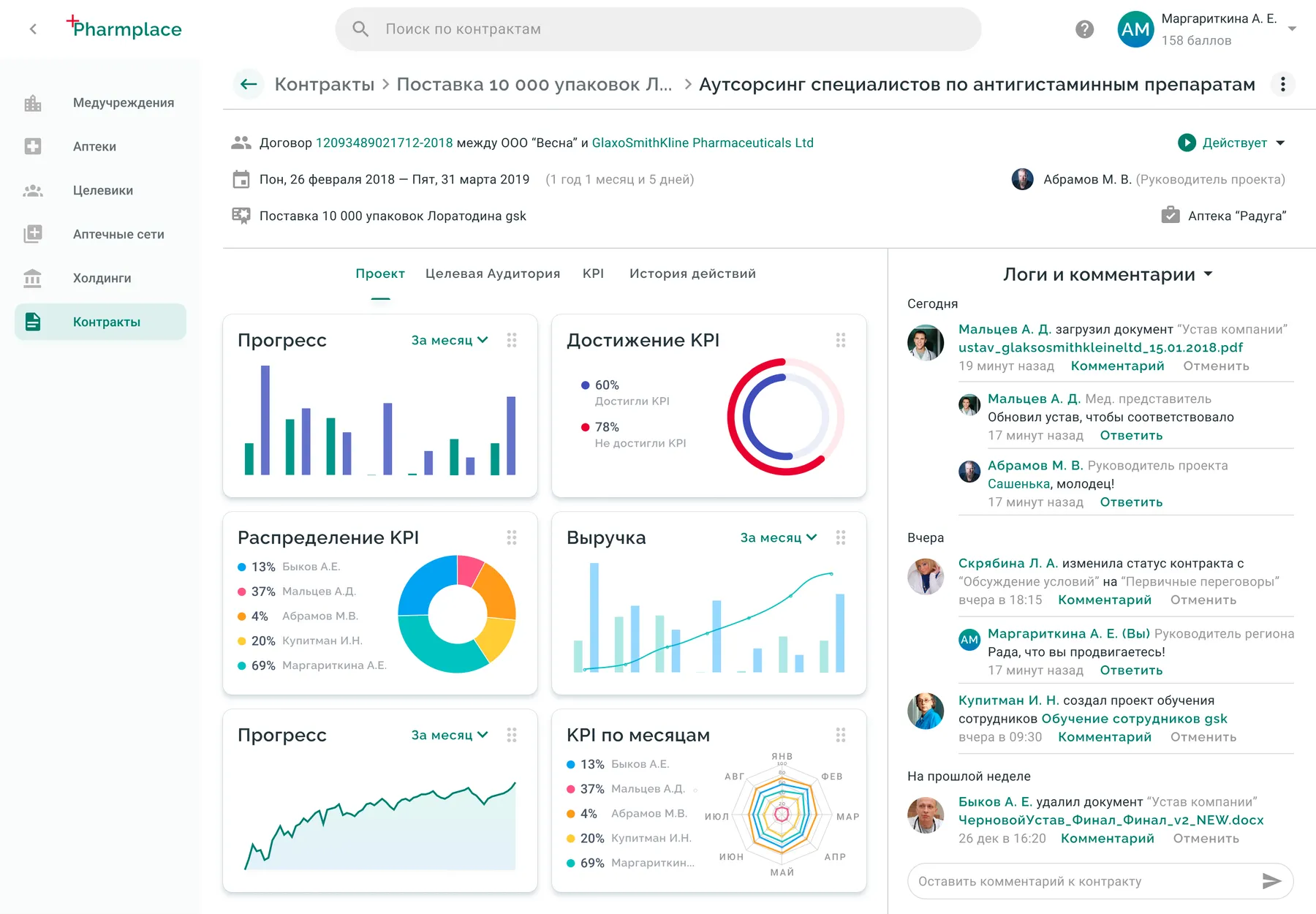
This interface is done to control the states of projects. It shows the progress on tasks, KPI's, assigned MR's, results, target audience. logs and options to edit task.

Project screen in ERP-system

Logging is notable solution here. Superior manager can easily ask questions cancel actions of his subordinates using microblog like interface. On every page (contract with partner, any project attached to it, set of tasks) all of the related persons can see log of last actions, such as just performed tasks by MRs and any edits or addition by managers of any level. Each action could be commented by anyone of them with notification of others, like tree-comments in social networks. Managers and action's author can cancel the action if it is still possible.

Employees task management

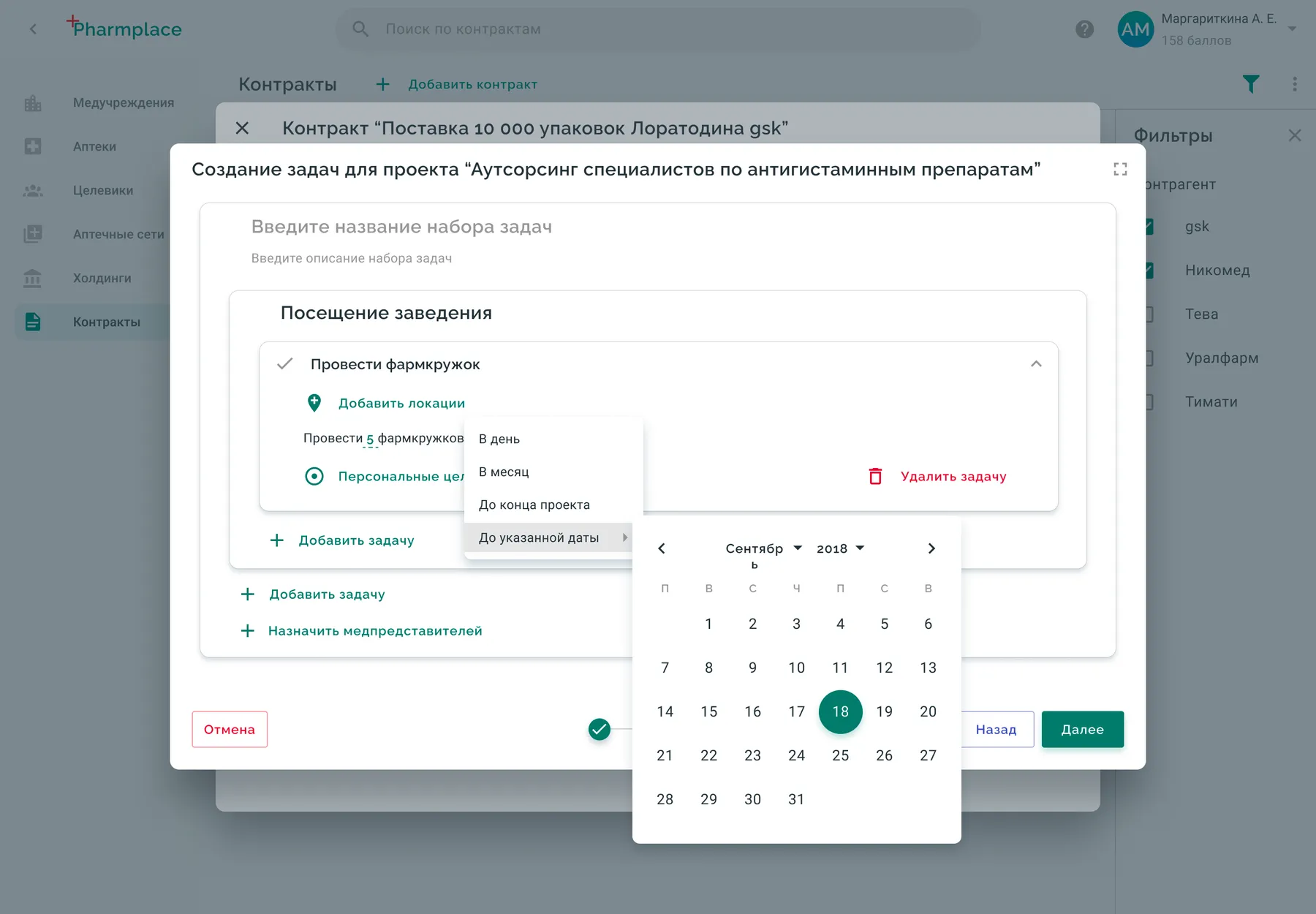
MR team leads were using Ms Word and Excel to give tasks to MR manually. We analyzed their documents and made a comfortable interface to set tasks to do at different locations, generate reports and set KPI for MRs.

During the iterations of design process UI of task creation have changed.

Early prototypes

Iteration 1
Iteration 1
Iteration 2
Iteration 2

Final version

Late prototype of task designer

However, this one was not perfect. We found that with complex tasks it’s better to have window context to fill the whole screen. But to develop this one, we would need quite a lot of time. We calculated, that if we develop some MVP and give it to customers, we would win some time. So at first we deployed this:

MVP of task designer

Education system

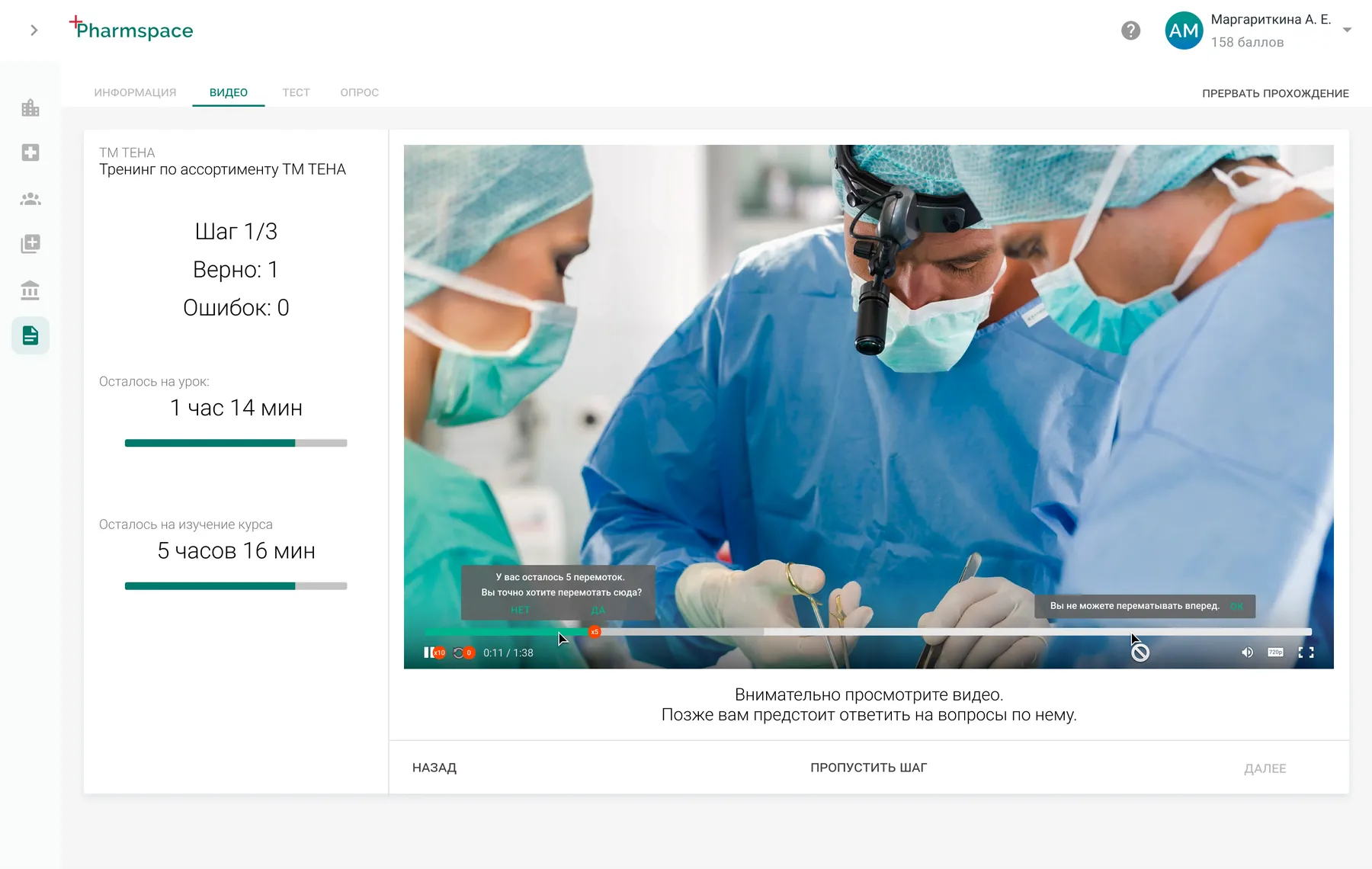
One type of tasks is education. Most of education was done using speech, slides and quizzes with a presence of a lecturer. To make it possible to be done without any humans and with similar user experience, we had to add some not-typical restrictions, that could be enabled by course author:

  • User can't fast video forward
  • User can rewind video only a few times
  • User can set video on pause only a few times
  • User have limited time to watch slides
  • User is prohibited to scroll texts too fast
  • User can't skip task

The UI was mostly made by previous senior designer. So here are few screen examples:

Web App Video type screen
Web App PDF type screen
Web App quiz type screen
Android App quiz type screen
Web App video type screen

Medical Representatives App

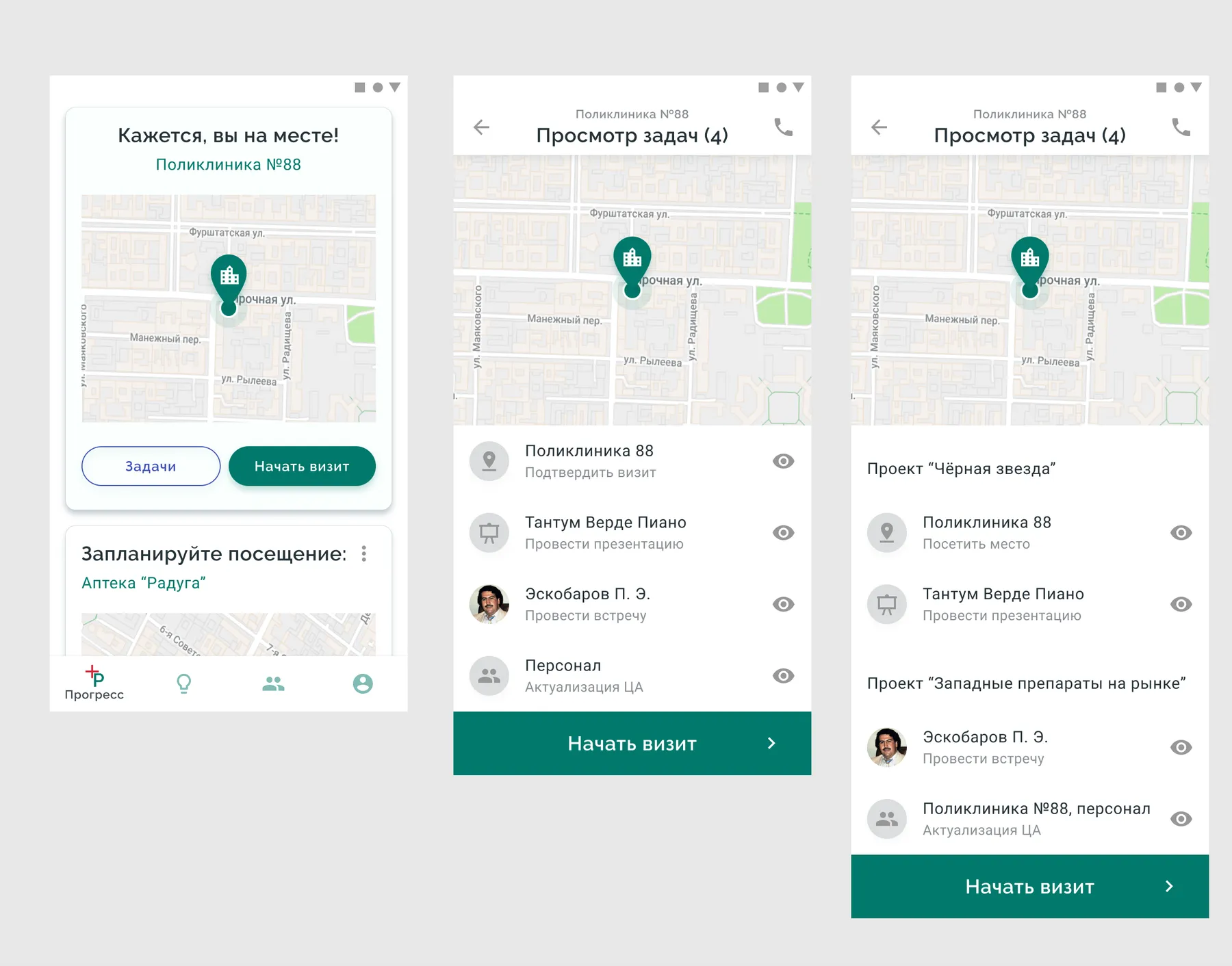
To perform tasks, there is a special app for MR's. It's available on Play! Store, but to use it, you need to have your account approved by your manager.

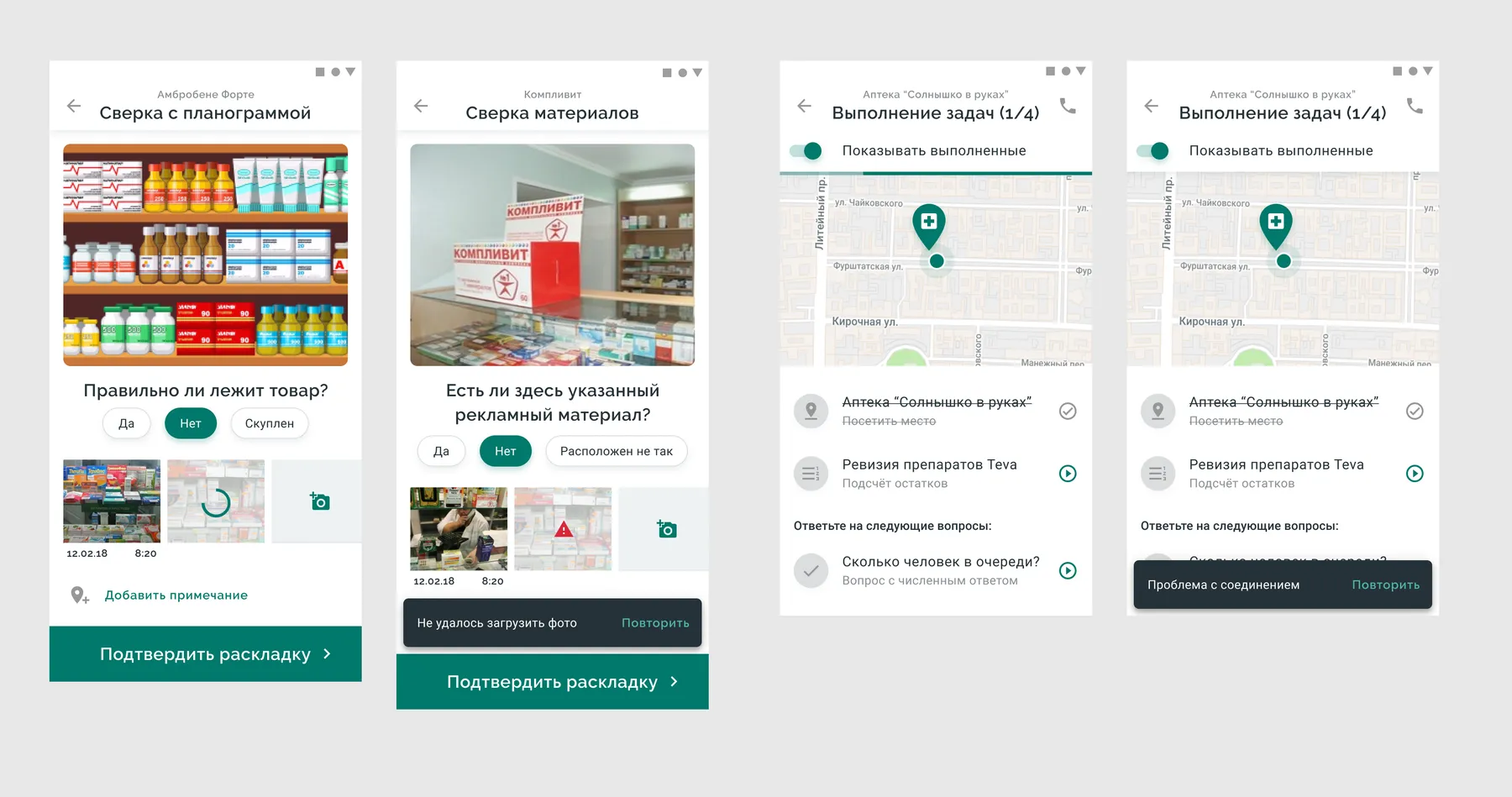
Once MR's geoposition is corresponding with a location of medical institution or pharmacy, the app notifies him to start a visit. He see a list of tasks he have to do here. Some tasks are related to meet with someone, some to present new product, some to update employees database, some to check amounts of specific medicines in stock of pharmacy and some to check a correct layout of goods.

MR arrives to location and sees task list
MR checks goods layout (and few UI states)
MR is performing medicine revision and marks the count of stock and order

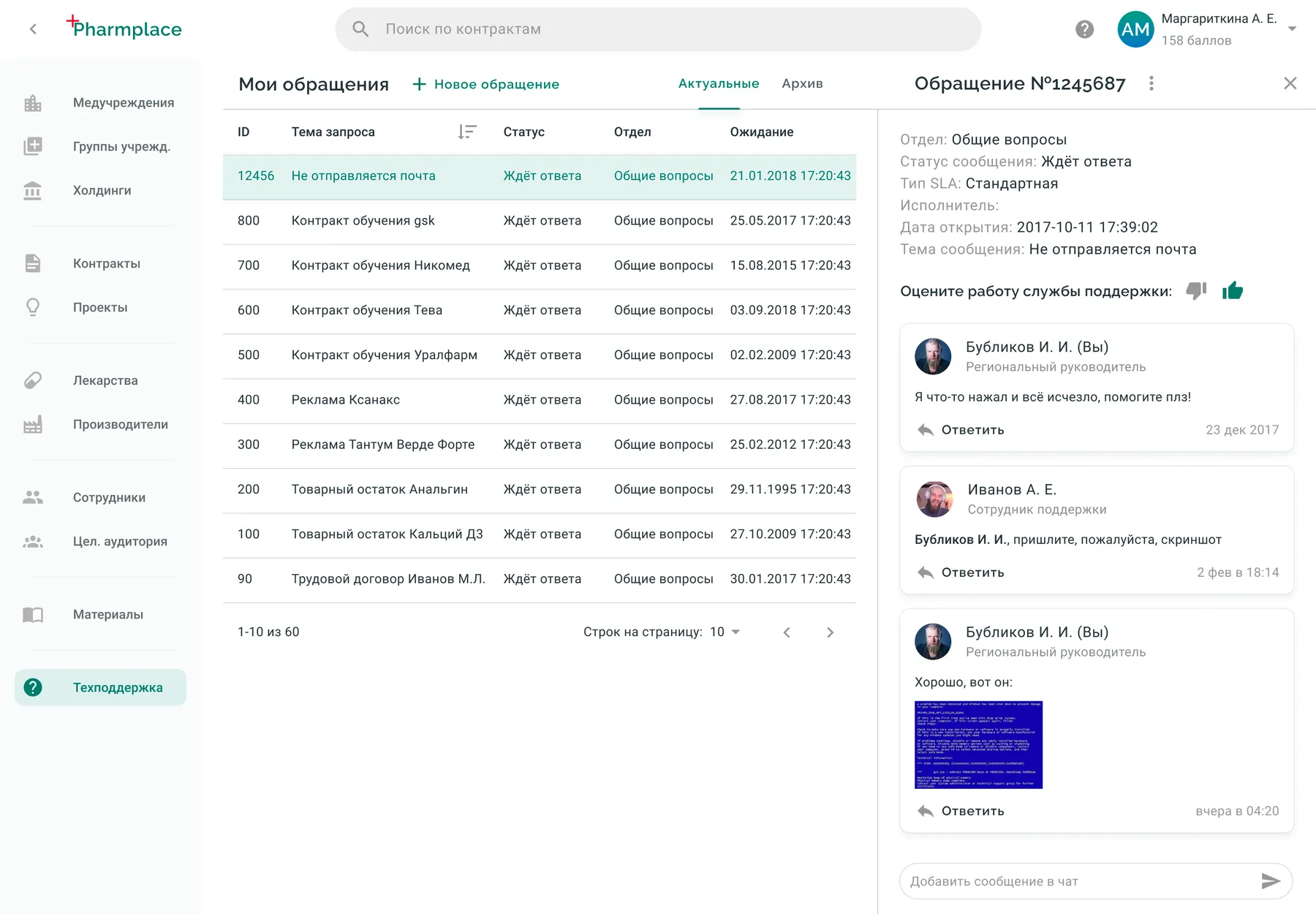
Ticket system

Education courses editor

File sharing

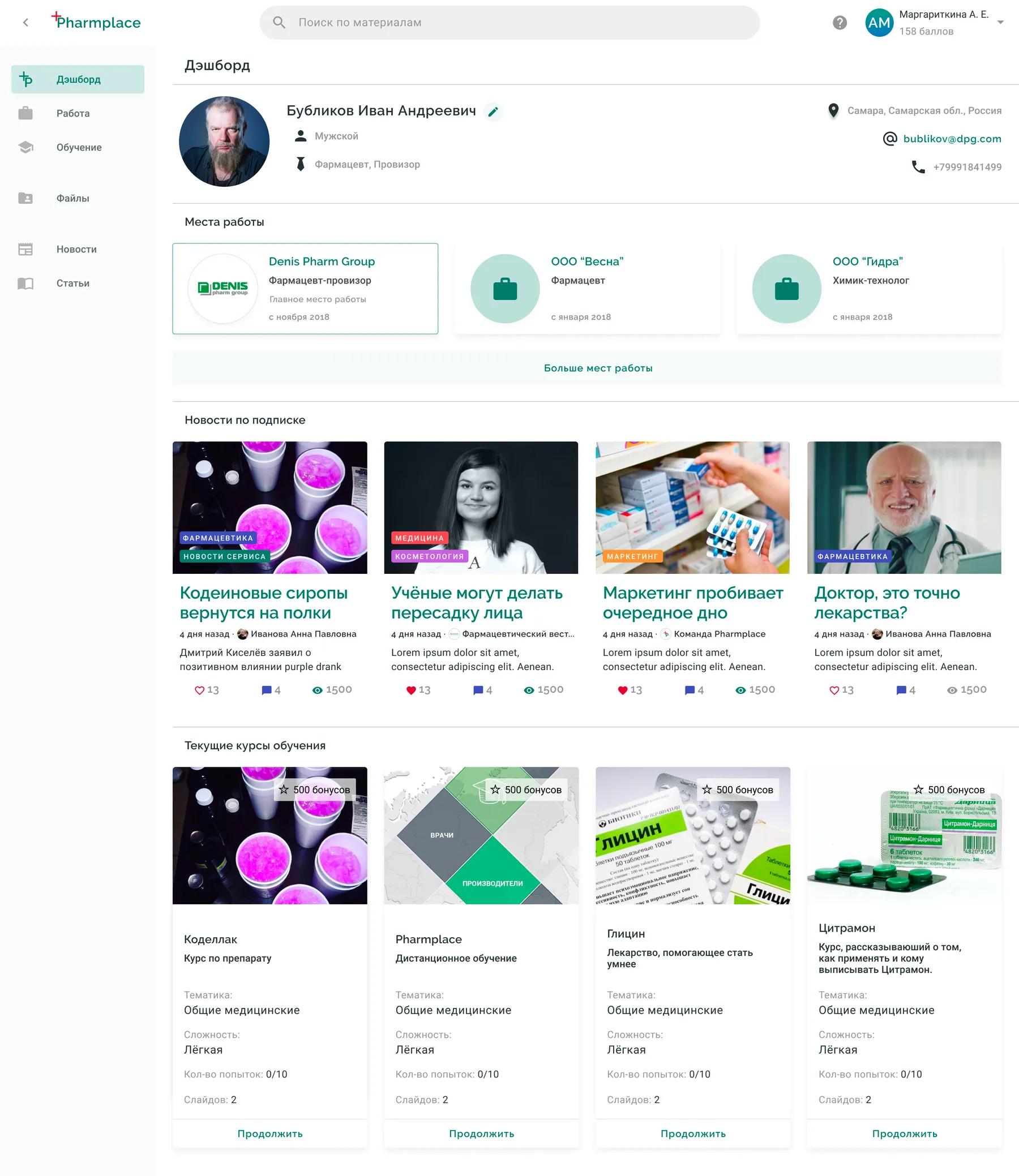
Portal for target audience

Results

  • System implemented in pharmaceutical holding's workflow
  • 90% of pharmaceutical holding's education now is going through this education system
  • Medical representatives department paperwork reduced by 80%
  • Medical representatives team lead paperwork assistants moved to another department
  • Medical representatives performance increased in 1.5 times.